
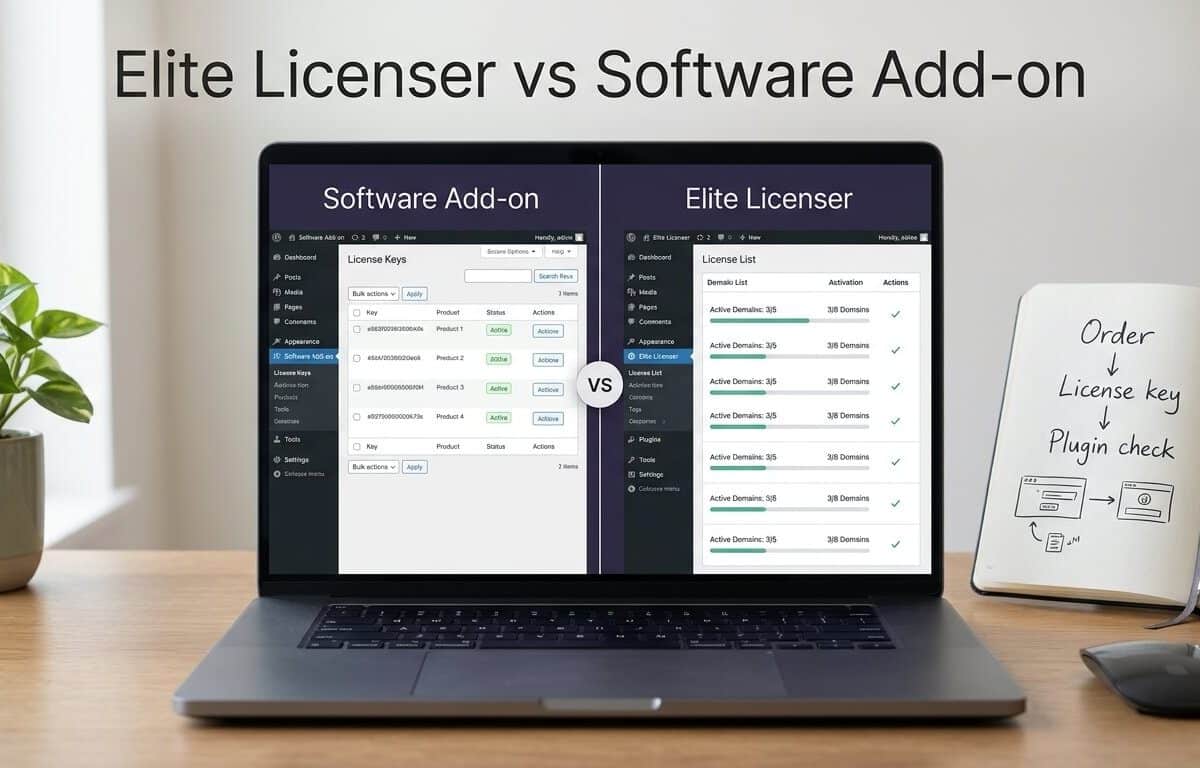
Elite Licenser vs WooCommerce Software Add-on: Which WooCommerce License Manager Plugin Fits Your Store?
Written by Ferdous Hassan. Posted in WordPress, Elite Licenser, WooCommerce
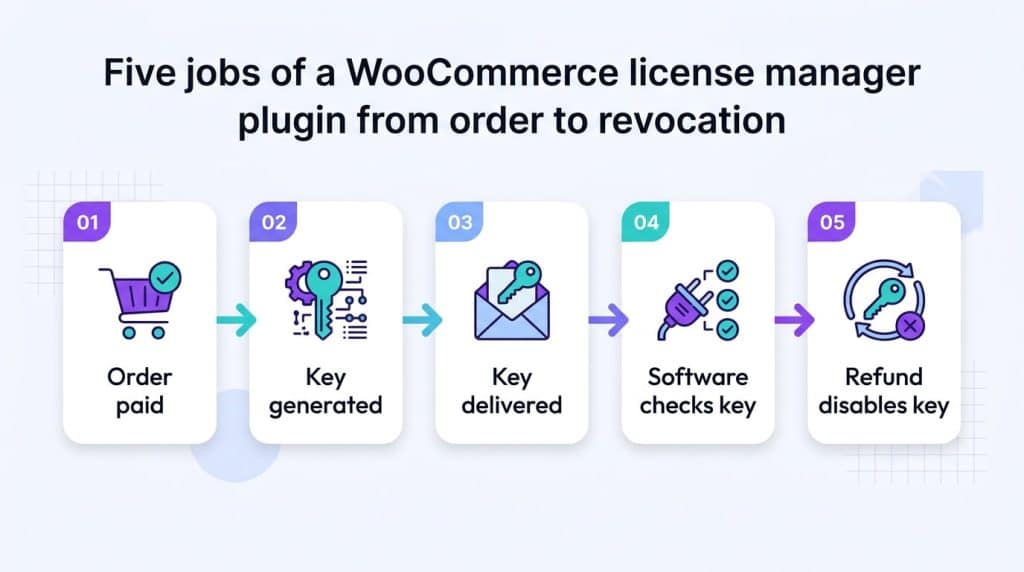
If you want to sell software license keys with WooCommerce, whether for a plugin, a theme, or another downloadable app, the sale is only half of the job. After checkout, you still need to issue a license key, limit how many sites can use it, end access after a refund, and remind customers when a renewal is due. WooCommerce does not do this by itself, so most sellers start looking for a WooCommerce license manager plugin.
Two names appear often in that search. The first is the Software Add-on, a paid extension on the WooCommerce.com Marketplace. The second is Elite Licenser, a WordPress license manager plugin that connects to WooCommerce through a separate add-on. This guide compares Elite Licenser vs WooCommerce Software Add-on on setup, license rules, updates, refunds, API access, and cost. The goal is to help you pick the WooCommerce license manager plugin that matches the way you sell.
A note on sources. This article is published on the Elite Licenser website, so it comes with a bias. To keep it useful, every statement about the Software Add-on comes from its WooCommerce.com product page and documentation, checked on October 27, 2026. Every statement about Elite Licenser comes from its own site, documentation, and plugin listings. Nothing here comes from hands-on testing. Where the documentation does not answer a question, the article says so instead of guessing.
Quick Answer: Which WooCommerce License Manager Plugin Fits Your Store?
The two tools are built differently, so the better WooCommerce license manager plugin depends on how and where you sell. This table gives the short version. The sections after it give the details.
If this describes you | Better fit |
|---|---|
You sell only through one WooCommerce store and want licensing inside the WooCommerce admin | WooCommerce Software Add-on |
You offer paid upgrades where an old key gives a discount at checkout | WooCommerce Software Add-on |
You need a WooCommerce license manager with automatic plugin updates that appear in customers’ WordPress dashboards, tied to expiry and support rules | Elite Licenser |
You also sell through Envato, Paddle, FastSpring, or Easy Digital Downloads | Elite Licenser |
You want generated sample code for PHP, C#.NET, or VB.NET applications | Elite Licenser |
You want a lower listed yearly price | Elite Licenser |
The Software Add-on page itself says API Manager for WooCommerce is the better fit in most cases. This article does not review API Manager, so look at it too before you decide. If you came looking for a WooCommerce Software Add-on alternative, Elite Licenser is one candidate and API Manager is another.
What a WooCommerce License Manager Plugin Does
A license key is a short code that your software sends to a server. The server replies with whether the key is valid, which product it belongs to, when it expires, and how many sites may use it. WooCommerce can sell a downloadable file, but it does not generate software license keys or check them from inside your product. An extension or custom code has to add that part, which is why WooCommerce digital product licensing needs a separate tool. A WooCommerce license manager plugin is the extension that fills this gap, and you will also see it called a WooCommerce license key plugin. If the idea is new to you, read what a license key is and how it works first.
The three parts of WooCommerce software licensing
WooCommerce software licensing works when three parts agree with each other:
- The store. WooCommerce takes the order, handles payment, and records refunds and cancellations.
- The license server. This is where keys, expiry dates, site limits, and activation logs are stored.
- The product. Your plugin, theme, or app contains code that sends the key to the license server and acts on the answer.
If one part is missing, the setup does not work. A store without a license server cannot issue keys. A license server that is not connected to the store needs someone to copy keys into orders by hand. A product without check code accepts any key, or no key at all. Both tools in this comparison cover the first two parts in different ways. The third part, the check inside your product, is always your job.
The Problem: Selling Software Without a License Layer
What the problem looks like
- One customer buys one copy and installs it on ten sites.
- An order is refunded, but the key still works.
- A new plugin version is ready, but customers have to download it by hand.
- Support staff search order notes to find a customer’s key.
- Nobody can say how many sites use a given key.
Why it happens
WooCommerce owns the order. The license data lives somewhere else, or nowhere. Without a tool that connects the two, a change in the order does not change the key. The WooCommerce license automation guide explains how orders and licenses drift apart.
Common causes
- Keys are copied from a spreadsheet by hand.
- The key is created before payment is confirmed.
- Rules exist for new orders but not for refunds or cancellations.
- Keys have no site limit, so one key is shared.
- Updates are delivered separately from licensing.
- A tool was chosen before the team wrote down its license policy.
How to diagnose it
- List refunded, cancelled, and failed WooCommerce orders from the last 90 days.
- Look up the matching keys and note whether any is still active.
- Check activation dates against refund dates.
- Count the sites using each key and compare with what the customer paid for.
- Ask support how often customers lose a key or cannot update.
If these checks turn up several mismatches, a WooCommerce license manager plugin will save real work. The next question is which one.
Elite Licenser vs WooCommerce Software Add-on at a Glance
Area | WooCommerce Software Add-on | Elite Licenser with WooCommerce add-on |
|---|---|---|
Publisher | Kestrel, sold on WooCommerce.com | AppsBD, sold on elitelicenser.com |
How it works | Adds a Software product type inside WooCommerce | A license server plugin plus a WooCommerce add-on that links orders to it |
Key generation | At order completion | Automatically on purchase through the add-on |
Activation limit | Per product | Per license type, with a maximum domain setting |
Refund, cancel, fail | Keys can be bulk-revoked from the License Keys screen; automatic revocation is not described in the documentation | The add-on page says licenses deactivate if the order is refunded, cancelled, or fails |
Plugin and theme updates | Version field; update delivery is not described | Update details added in the panel appear as normal WordPress updates |
Customer access to keys | Lost License page or custom My Account code | Email templates, plus the Member Area add-on for a self-service portal |
Integrations | WooCommerce | Envato, Paddle, FastSpring, Easy Digital Downloads add-on |
API | wc-api requests: generate, activate, reset, deactivate, check | API list with permissions, plus sample code for PHP, C#, and VB.net |
Listed price | $179 for a 1-year plan | $49 to $99 yearly, $199 to $249 lifetime |
The table is a summary. The next two sections explain each side.
What the Software Add-on Does
The Software Add-on is a WooCommerce license key plugin that lives entirely inside your store. Its documentation describes a new Software product type with these fields: Product ID, license key prefix, secret key, version, and activation limit. You can also set an upgrade price and list the old keys that qualify for it.
How keys reach customers
When an order is completed, the customer receives a license key and activation details in the order-complete message. The documentation states that the order must be set to Completed for the license to be generated. Orders that contain only virtual, downloadable products can complete on their own, which matters if you want to automatically generate license keys in WooCommerce without manual steps.
How you manage keys
The WooCommerce > License Keys screen lets you search, filter, and bulk-revoke keys. The order screen shows the keys for that order and lets you resend the license email. The Software reports show sales and activations. You can import existing keys from a CSV file, but only against existing orders.
How your software checks keys
Your shop listens for API requests on the wc-api=software-api endpoint. The documented requests are generate_key, activation, activation_reset, deactivation, and check. The extension includes a Postman collection for testing. The documentation marks the API section as developer-level.
Where it stops
The public documentation does not describe pushing plugin or theme updates to a customer’s WordPress admin. Renewals at a lower price need WooCommerce Subscriptions, which is a separate purchase. Customers can recover keys through the Lost License page, or you build your own account interface. The Marketplace page also says that in most cases API Manager for WooCommerce is the better fit, so this tool suits a narrower set of stores.
One technical detail is worth checking if you plan to use it: the documented required parameters for activation_reset are the email, license key, and product ID. The product’s secret key is not on that list. Ask Kestrel support how your store should handle resets before you rely on it for limit enforcement.
As a WooCommerce license manager plugin, the Software Add-on is a reasonable fit for stores that want keys, limits, and an API, and nothing more.
What Elite Licenser Does
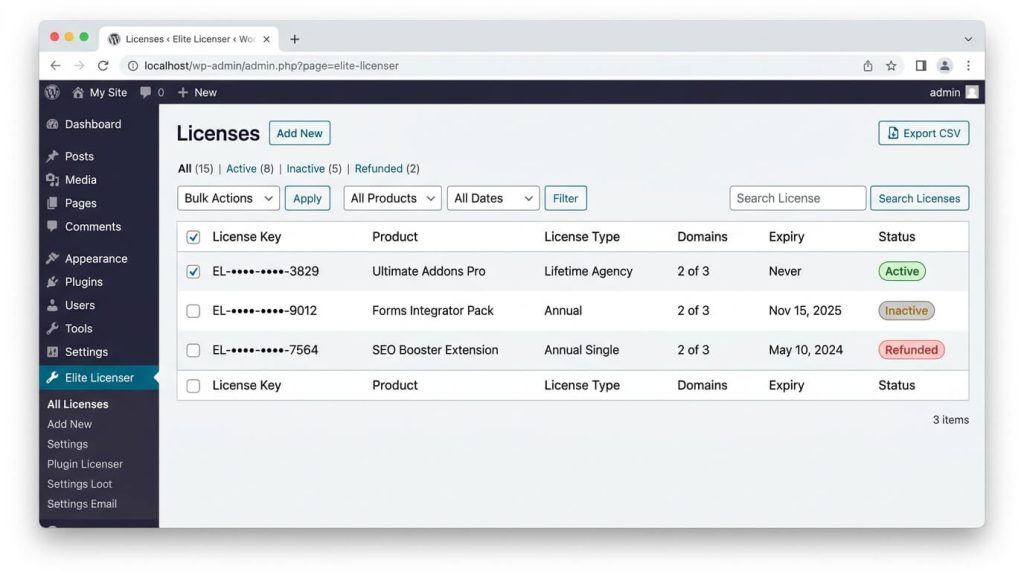
Elite Licenser is a WordPress license manager plugin built for people who sell plugins, themes, and other software. It runs as a license server on a WordPress site. The WooCommerce add-on connects your store to that server. The add-on page describes it as generating and managing license codes, showing them in orders, and deactivating them when an order is refunded, cancelled, or fails.
The features page lists what the core plugin adds on top of that:
- License types. Create single-site, multi-site, or one-year licenses, and set the maximum domains for each type. See the license type documentation.
- Product updates. Add details of a new version in the panel, and customers see the update as a normal WordPress update.
- URL-based restrictions. A key is tied to a URL, so example.com and app2.example.com need separate keys.
- Auto host ban. Repeated activation attempts with a wrong key block the host and list it in the panel.
- API and permissions. The API list controls what each API key may do.
- Webhooks, email templates, CSV export, and license reports.
- Integrations. Envato, Paddle, and FastSpring are listed, and the plugin has WordPress auto license integration that the site describes as requiring no coding.
For customers, the Elite Member Area add-on offers a license portal. The post on building a customer license area explains why one is worth having.
Where the documentation is limited
The public pages do not describe how the add-on treats partial refunds, chargebacks, or an order that returns from Failed to a paid status. They also do not state High-Performance Order Storage compatibility on the pages reviewed. Test these cases on a staging site. The Elite Licenser WooCommerce add-on also needs the core plugin to work, so you maintain two plugins instead of one.
Where the Two Tools Differ
Refunds and cancellations
This is the most common reason people look for a WooCommerce Software Add-on alternative. The Software Add-on gives you a License Keys screen with bulk revoke. The Elite Licenser add-on page says the license is deactivated when the order is refunded, cancelled, or fails. If you want to disable a license key after a WooCommerce refund without a person doing it, that difference matters. Check partial refunds on either tool, because the order status does not change on a partial refund.
Updates for plugins and themes
If you sell a WordPress plugin or theme, customers expect update notices in their dashboard. Elite Licenser describes this as a built-in feature: you add the new version details, and the update shows as a core WordPress update. The Software Add-on documentation has a Version field but does not describe update delivery. A seller with only downloads and keys may not care. A plugin seller probably does.
Activation limits and abuse controls
The Software Add-on sets one activation limit per product. Elite Licenser sets the limit per license type, so one product can have a one-site type and a five-site type. Elite Licenser also adds URL-based restrictions and automatic host bans. See how to protect a WordPress plugin from piracy for the wider picture. No license check stops a determined person from editing code, so treat all of these as friction, not a guarantee.
Customer self-service
The Software Add-on gives customers a Lost License page, or you write code to show keys in My Account. Elite Licenser sends keys by email, and the Member Area add-on adds a self-service portal. Fewer lost-key tickets is the practical benefit.
Platforms and payment gateways
The Software Add-on works with WooCommerce. Elite Licenser also lists an Easy Digital Downloads add-on, plus Envato, Paddle, and FastSpring integrations. If you sell in more than one place, one license server can serve them all. The post on WooCommerce vs Easy Digital Downloads licensing covers that choice.
Developer integration
Both tools have an API. The Software Add-on documents five request types and ships a Postman collection. Elite Licenser generates sample code for PHP, C#, and VB.net applications, which helps if your software is not a WordPress plugin. For non-WordPress software, the API documentation is the place to start.
Subscriptions and renewals
The Software Add-on needs WooCommerce Subscriptions for a lower-priced renewal. Elite Licenser’s changelog, as quoted in its license automation guide, lists subscription renewal handling. Test your own renewal flow either way. For the pricing model question itself, see annual vs lifetime plugin licensing.
Price and Track Record
The Marketplace page lists the Software Add-on at $179 for a one-year plan, or $286.40 for two years after a 20% discount. It shows 900+ active installs and a 3.3 rating from four reviews. The review count is small, so it says little in either direction.
The Elite Licenser pricing page lists a Developer license for 10 products at $49 yearly or $199 lifetime, and an Agency license for unlimited products at $99 yearly or $249 lifetime. Lifetime plans include lifetime updates and one year of support. Both vendors list a 30-day money-back guarantee. The Elite Licenser site also states that over 1,500 businesses use it. That number is self-reported and was not independently checked. Prices change during sales, so confirm them before you buy.
Because the plans differ in scope, a price comparison alone is misleading. Compare what each plan includes for the number of products you sell.
Elite Licenser vs WooCommerce Software Add-on: Which One Should You Pick?
Pick the Software Add-on if
- All your sales run through one WooCommerce store.
- You need keys, activation limits, upgrade pricing, and an API, and you handle updates elsewhere.
- You prefer one plugin installed on the store.
- You want a vendor sold and supported through WooCommerce.com.
Pick Elite Licenser if
- You sell WordPress plugins or themes and want update delivery tied to the license.
- You want licenses to disable on refund, cancellation, or failure through an add-on.
- You sell through Envato, Paddle, FastSpring, EDD, or several channels.
- You want several license types, host bans, webhooks, and a customer portal.
If you are still weighing tools in general, how to choose a WordPress plugin license manager lists the questions to ask any vendor.
How to Sell Software License Keys in WooCommerce With Elite Licenser
These steps follow the documentation and the add-on setup guide. The setup guide dates from 2022 and the add-on’s admin panel was later rebuilt, so labels may differ.
- Install Elite Licenser on the site that will be your license server, using the installation guide.
- Add your product in Elite Licenser. See the product documentation.
- Create license types with an expiry, support days, and a maximum number of domains.
- Install the WooCommerce add-on on your store. Its settings are under WooCommerce > Elite Licenser Settings.
- Connect the two. Copy the API endpoint from Elite Licenser, create an API key in its API list, and paste both into the add-on. Use the remote connection if the license server is on a different site.
- Set order-event options for refunds, cancellations, and failed orders so the add-on can disable a license key after a WooCommerce refund or cancellation.
- Link each WooCommerce product (and variation, if used) to its Elite Licenser product.
- Edit the email templates so customers know how to use the key.
The same steps show how to automatically generate license keys in WooCommerce once a mapped product is paid for. Elite Licenser also acts as a WooCommerce license key manager for WordPress plugins when the product you add is a plugin, because the same server can deliver updates.

Test Before You Go Live
Use a staging site or test-mode payments.
Test | Action | Expected result |
|---|---|---|
Paid order | Pay for an order | The right number of keys, visible in the order and the email |
Status change | Move Processing to Completed | No duplicate key |
Full refund | Refund the whole order | Key disabled |
Partial refund | Refund one item | Result matches your written policy |
Cancelled order | Cancel an order | Key disabled |
Failed then paid | Retry a failed payment | Key active again |
Activation limit | Activate past the limit | Extra site refused |
After the table, install your product on a test site and confirm that it reacts to a disabled key the way you intend. The license server only changes the status. Your own code decides whether features lock, updates stop, or a notice appears.
Common Mistakes to Avoid
- Choosing the tool before writing the license policy.
- Generating the key before payment is confirmed.
- Testing only the successful order path.
- Ignoring partial refunds, which do not change the order status.
- Deleting disabled keys, which removes the history you need in disputes.
- Leaving activations unlimited.
- Assuming a disabled key removes the software from a customer’s site.
- Comparing sticker prices without comparing included features.
- Skipping a staging test with a real activation.
When You May Need Technical Help
Standard setups are manageable without code. Ask a developer if you need partial-refund rules by item or amount, custom order statuses, several stores feeding one license server, or a gateway that reports payments late. Both tools expose an API for custom work, and both vendors offer support. Elite Licenser’s team can confirm how a specific setup behaves through the contact page.
Additional Tips
- Write a one-page license policy first: when keys start, how many sites, what happens on refund, what happens on expiry.
- Use the same quantity rule for every product (one key per unit, or one key with several slots).
- Show the key in the order email and the order page.
- Keep a staging copy of the license server and the store.
- Review the license list monthly for keys with unusual activation counts.
FAQ
Neither is better for every store. The Software Add-on is a smaller tool that stays inside WooCommerce. Elite Licenser covers update delivery, license types, host bans, and more integrations, at the cost of running a license server plugin plus an add-on.
Elite Licenser is one. WooCommerce’s own Marketplace page also points to API Manager for WooCommerce as a better fit in most cases. Compare features against your needs before choosing.
Elite Licenser is one. WooCommerce’s own Marketplace page also points to API Manager for WooCommerce as a better fit in most cases. Compare features against your needs before choosing.
The Elite Licenser add-on page says it deactivates licenses when an order is refunded, cancelled, or fails. The Software Add-on documentation describes bulk revocation from the License Keys screen but not automatic revocation. Test partial refunds on either tool.
For the Software Add-on, WooCommerce Subscriptions is needed for a lower renewal price. Elite Licenser lists subscription renewal handling in its changelog, and licenses can also expire by date through license types.
Not by itself. WooCommerce digital product licensing needs a licensing extension or custom code.
Yes. The add-ons page lists an EDD add-on alongside the WooCommerce add-on and the Member Area add-on.
No. It changes the license status. What the product does after a failed check is set by your own code.
Conclusion
The choice between Elite Licenser vs WooCommerce Software Add-on comes down to scope. If you need keys, limits, upgrade pricing, and an API inside one WooCommerce store, the Software Add-on covers that. If you also deliver plugin or theme updates, sell through several channels, or want licenses to follow refunds and cancellations through an add-on, Elite Licenser covers more of that ground. Either way, a WooCommerce license manager plugin works best after you have written the license policy and tested every order path on a staging site.
To see the options in detail, read the Elite Licenser documentation or compare the pricing plans.
Subscribe
To get news about new releases, Updates, Blog Post, Deals and Discounts