
5 Best WordPress License Manager Plugins: Honest Review
Written by Ferdous Hassan. Posted in WordPress
A license key connects a purchase to the files and updates a customer is allowed to receive. If you sell a plugin or theme, you need something that creates those keys, checks them, and ends access when a license expires. A WordPress license manager plugin does that work. Without one, many sellers create keys by hand, track activations in a spreadsheet, and find out months later that a single purchase is running on dozens of sites.
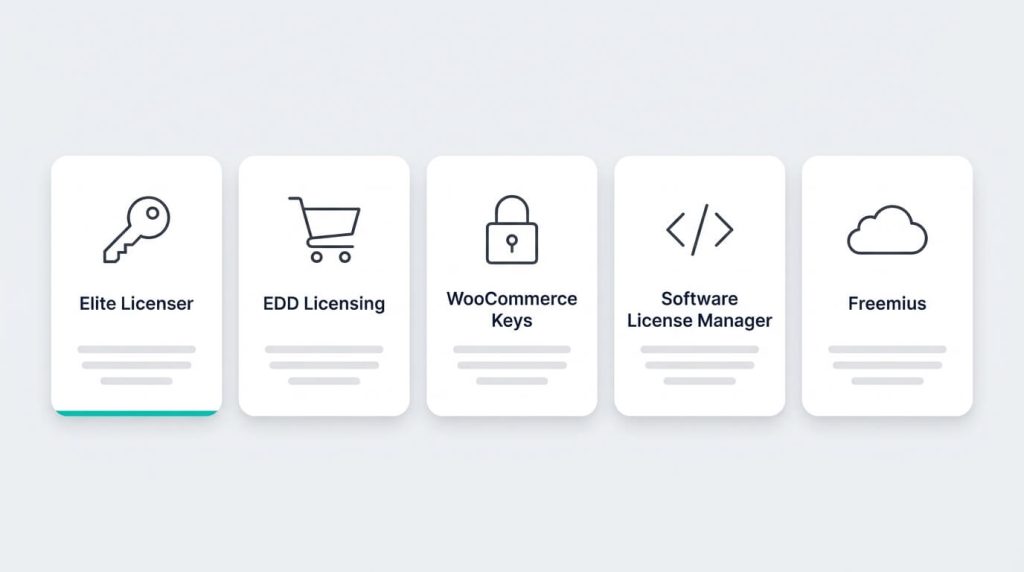
This guide compares five WordPress license manager plugins and platforms: Elite Licenser, Easy Digital Downloads Software Licensing, License Manager for WooCommerce, Software License Manager, and Freemius. Each one approaches WordPress plugin licensing and license key management differently. Some are self-hosted plugins. One is a hosted platform. Some deliver updates, and some only manage keys.
Disclosure: This article is published on the Elite Licenser website, and Elite Licenser is ranked first. The ranking follows the criteria listed below, and each section says where another tool is the better fit. The information comes from vendor documentation, WordPress.org listings, and published reviews, checked in October 2026. We did not run performance tests, so features are described the way each vendor documents them. Prices change often, so confirm them with the vendor before you buy.
If you want to sell WordPress plugins with license keys and only need the shortlist, go to the comparison table. If you are still deciding whether you need a license manager at all, start with the next section.
What a WordPress license manager plugin does
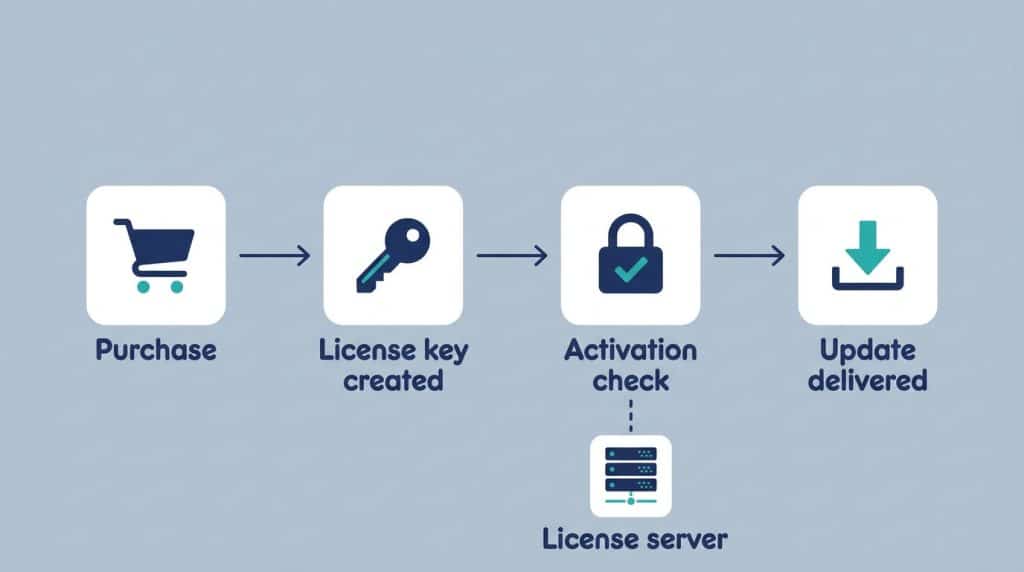
A WordPress license manager plugin has two parts. The server side is a WordPress site you control. It stores your products, license keys, and activation records. The client side is a small block of code inside your plugin, theme, or app. When a customer enters a key, the client code sends it to your server. The server replies that the key is valid, expired, or already used on too many sites.
Most tools in this category handle the same core jobs:
- Key creation: manually, through an API, or automatically after a purchase.
- Activation checks: confirming that a key belongs to a product and a domain.
- Activation limits: setting how many sites one key can run on.
- Expiry and renewal: ending access when a yearly license is not renewed.
- Update delivery: sending new versions only to customers with a valid key.
- Reporting: showing which keys are active and where they are used.
Not every tool covers every job. That difference is the main reason to compare them before you commit.
The problem: keys you cannot track or control
The problem is easy to state, and it is a license key management problem at its core. You sold one license, but you have no reliable way to see where it is used or whether it should still work. The results are lost renewals, extra support work, and update files that reach people who did not pay for them.
If you are working out how to sell WordPress plugins with license keys, this is the first gap to close, and it is the reason WordPress plugin licensing needs its own tooling. A store such as WooCommerce can take payment, but a store alone does not check a key when your plugin is activated on a customer’s site.
Why it happens
WordPress has no built-in method to sell or verify a commercial license. A plugin zip file runs on any site once it is uploaded. Any restriction has to be added by the seller, and many sellers add it after the first sales have already happened.
Common causes
- Keys are created by hand with no WordPress license key generator, and stored in a spreadsheet or an email thread.
- There is no way to limit license key activations per site, so one key works on any number of domains.
- The update package sits at a public URL that anyone can download.
- Expiry dates exist in the store but are not checked inside the product.
- Keys come from several places, such as your own store and a marketplace like Envato, with no shared record.
How to diagnose it
Run these checks before you pick a tool:
- Choose a recent sale and try to find the sites that use its key. If this takes more than a few minutes, you have a tracking gap.
- Check whether a customer with an expired license still sees update notices.
- Count the support tickets that begin with a lost-key request.
- Open your update package URL in a private browser window. If it downloads without a key, the file is not protected.
- Compare the number of licenses sold with the number of active installs your product can report.
If two or more of these checks fail, a WordPress license manager plugin will save you time. A good license manager for WordPress plugins and themes puts key creation, activation checks, and update access in one place.
How we compared these tools
Seven criteria were used to judge each WordPress license manager plugin. They reflect what a plugin or theme seller needs in daily work:
- Product types: WordPress only, or also PHP, .NET, and other software.
- Key generation and license key management: automatic keys, expiry dates, and the ability to limit license key activations per site.
- Update delivery: whether the tool works as a WordPress license manager with automatic updates for customers.
- Store and marketplace links: WooCommerce, Easy Digital Downloads, Envato license verification, and other sources.
- Customer area: whether buyers can see and manage their own licenses.
- Pricing model: flat fee, free, or revenue share.
- Documentation and upkeep: whether the product is documented and still maintained.
One note on scope. Freemius is a hosted platform, not a plugin you install on your own site. It is included because sellers often compare it with plugin-based tools.
Quick comparison of five WordPress license manager plugins
Tool | Type | Update delivery | Store links | Pricing model (as published) |
|---|---|---|---|---|
Elite Licenser | Self-hosted WordPress plugin, commercial | Yes, added through the admin panel | WooCommerce add-on, EDD add-on, Envato, FastSpring | Developer (10 products) and Agency (unlimited), yearly or lifetime |
EDD Software Licensing | Part of Easy Digital Downloads | Yes, one-click WordPress updates or API | Built into EDD | Part of EDD’s paid plans |
License Manager for WooCommerce | Plugin, free core with a Pro version | Not described in the feature list | WooCommerce | Free core, paid Pro |
Software License Manager | Open-source plugin | Not described in the feature list | WP eStore, API | Free |
Freemius | Hosted platform with SDK | Yes, through the SDK | Freemius checkout | Revenue share |
Image 2 – above or below the comparison table
- Alt text: Five labeled cards comparing WordPress license manager plugins side by side
- Prompt: Clean infographic exported as a JPG, 1200 × 800 px (3:2). Five equal rounded cards in a row on a pale gray background, each with a simple line icon at the top (a key, a shopping cart, a padlock, a code bracket, a cloud) and a plain text label under it: “Elite Licenser”, “EDD Licensing”, “WooCommerce Keys”, “Software License Manager”, “Freemius”. Under each label, three short placeholder bars suggesting rows of features. A thin teal accent line under the first card. Soft diffused overhead light, subtle card shadows, modern flat design, sans-serif type. Use text labels only, no real logos or trademarks. Camera: straight-on, centered.
1. Elite Licenser: best overall WordPress license manager plugin for independent sellers
Elite Licenser is a commercial software license manager that runs as a WordPress plugin. It is made by Appsbd. According to the vendor’s feature list, it manages licenses for WordPress plugins and themes, and also for PHP, C#.NET, and VB.NET applications.
What it does
The feature overview and the vendor’s FAQ describe these functions:
- Automatic license generation: a license key is created when a product is purchased.
- Sample code generation: it produces sample code for PHP, C#.NET, and VB.NET apps. For WordPress, the FAQ says you get a full plugin or theme that can be installed directly, and you add your own code to it. This works as a simple WordPress license key generator for developers who do not want to write the client code from scratch.
- Product updates: you enter details of a new version in the admin panel, and the licensed product shows the update like a core WordPress update. This makes it a WordPress license manager with automatic updates for the products you add.
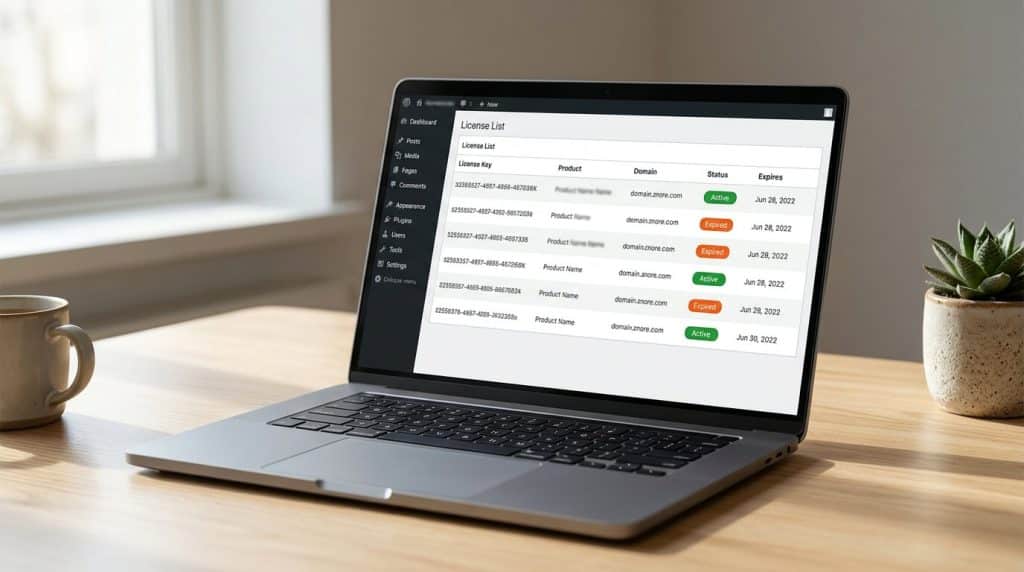
- License tracking: you can follow each license and check its expiration date.
- URL-based restrictions: a key is tied to a URL. If a buyer installs the product on a second domain or a subdomain, that site needs its own key. This is how you limit license key activations per site.
- Auto host ban: if a host repeatedly tries to activate a product with a wrong key, it is blocked, and the blocked hosts appear in the panel.
- Email templates: you can edit the pre-built messages sent to customers.
- Envato license verification: the plugin has a built-in check for Envato purchase codes, and the vendor says you can add your own integration for other marketplaces as a small add-on plugin.
- FastSpring: license keys can be generated from FastSpring orders.
The admin menu also lists license types, an API list, and request management. You can try these screens in the live demo before buying.
Add-ons and store links
The add-ons page lists a WooCommerce add-on, an EDD add-on, and a Member Area add-on.
The WooCommerce add-on lets you use Elite Licenser as a WooCommerce license manager. You link a WooCommerce product to an Elite Licenser product. After an order, the customer receives a license key, and the add-on’s description says one key is generated for each unit of quantity.
The Member Area is a private section of your site where customers manage their own licenses. The vendor lists domain reset and removal, product package updates, and coupon management for deal platforms such as AppSumo and Pitchground. It connects to Elite Licenser through a webhook.
Pricing
When this article was researched, the pricing page showed two license tiers:
Plan | Products covered | Yearly price shown | Lifetime price shown |
|---|---|---|---|
Developer | Up to 10 | $49 | $199 |
Agency | Unlimited | $99 | $249 |
The page also shows higher list prices crossed out, and all plans include a 30-day money-back guarantee. Because the displayed prices are tied to sales, check the page for the current figure.
Limits to know
- It is a paid product. Some older reviews, including one from WPBeginner, describe a free Lite version. The WordPress.org listing for Elite Licenser Lite currently says it was closed on April 8, 2025, so confirm with the vendor whether a free tier exists before you plan around one.
- It is a license server, not a store. Checkout, payment, and tax come from WooCommerce, EDD, FastSpring, or a marketplace.
- The Developer tier has a cap. It covers up to 10 products. Larger catalogs need the Agency tier.
- You maintain the server. Because it is self-hosted, you are responsible for hosting, backups, and uptime of the site that answers license checks.
- Documentation gaps have been reported. One reviewer on the old WordPress.org listing said the documentation did not cover every option. The docs section is the place to check current coverage.
Best for
Independent developers and small agencies that sell WordPress plugins with license keys through more than one channel, for example their own store plus Envato. It also suits teams that license non-WordPress software and want one license manager for WordPress plugins and themes that can cover other software too.
2. Easy Digital Downloads Software Licensing
Easy Digital Downloads (EDD) is a store plugin for digital products, and Software Licensing is one of its advanced features. Among WordPress license manager plugins, it is the most direct route if you already sell on EDD.
According to EDD’s feature page, the feature handles key generation, activation tracking, and update delivery. It supports one-click WordPress updates, and it offers an API for other kinds of software. The page also lists automatic renewals and upgrade paths between license levels. For products sold through EDD, it works as a WordPress license manager with automatic updates.
EDD’s developer documentation describes a license class with methods to add or remove a site, check whether a key is at its limit, renew a license, and reset an activation limit. That level of detail helps if you plan to build custom behavior on top of the licensing data.
Where it fits best: stores that already run on EDD and want checkout, renewals, and licensing from one vendor. EDD states that more than 50,000 professionals use it, which is a vendor claim.
Trade-offs: the licensing layer is tied to the EDD store. If you sell mostly through another channel, or you want a standalone license server, you will need a different setup. EDD’s pricing is part of its paid plans, so check which plan includes Software Licensing before you decide.
3. License Manager for WooCommerce
License Manager for WooCommerce is a free plugin with a paid Pro version. It works as a WooCommerce license manager and as a WordPress license manager plugin for stores that sell keys as digital products.
The plugin’s readme lists these functions:
- Selling and delivering license keys automatically through WooCommerce.
- Adding or importing keys and assigning them to WooCommerce products.
- Creating a WordPress license key generator with custom parameters and assigning it to products, so a key is created each time a product is sold.
- Exporting keys as PDF or CSV and managing key status.
- Showing keys in the WooCommerce My Account page.
- A REST API protected by API keys, with database encryption for stored license keys.
Where it fits best: WooCommerce stores that need to sell and deliver keys, such as software keys or serial numbers, without paying for a license server.
Trade-offs: the feature list focuses on key sales and key management. It does not describe delivering plugin updates, so a seller who wants update control would need another tool. There is also a practical risk. The readme says the plugin creates two files in the uploads folder that hold the secrets used to encrypt and decrypt keys, and that losing both files makes the encrypted keys unrecoverable. Back them up.
4. Software License Manager
Software License Manager, from Tips and Tricks HQ, is a free and open-source plugin. Its description presents it as a license manager for WordPress plugins and themes, and as a license server for other web applications, including PHP-based membership scripts.
Through its API you can create keys, verify them, and check their status. You can also create keys manually in the dashboard. The changelog mentions automatic key expiry, a product reference field, and a subscription ID column. It integrates with the same developer’s WP eStore plugin.
Where it fits best: developers who are comfortable writing the API calls themselves and want a free WordPress license manager plugin that acts as a simple WordPress plugin licensing server.
Trade-offs: it provides the server and the API, but the client code inside your product is yours to write. The description does not list update delivery or a customer-facing license area, so you would add those separately.
5. Freemius
Freemius is a hosted platform for selling WordPress plugins and themes. You add its SDK to your product, and Freemius handles checkout, licensing, subscriptions, and updates.
As a WordPress license manager with automatic updates, it relies on the SDK inside your product. Its site describes licensing tied to plans and the number of site activations, automatic updates delivered through the SDK, and handling of EU and UK VAT. It can also generate a free version of a product for the WordPress.org directory. Unlike a WordPress license manager plugin that runs on your own site, it runs on Freemius servers.
Pricing: Freemius uses a revenue share instead of a license fee. Its pricing page lists 7% for WordPress products, made up of a 4.7% base share plus 2.3%, with the percentage falling as monthly sales rise. Check how payment processor fees are treated before you compare it with a flat-fee tool.
Where it fits best: sellers who want checkout, tax handling, and licensing from one hosted service and accept sharing a percentage of revenue.
Trade-offs: it is built around WordPress products, it requires the SDK inside your code, and the cost grows with your sales. A flat license from a self-hosted tool can cost less at higher sales volumes, though that depends on your numbers.
Why Elite Licenser ranks first, and where it does not
Elite Licenser is placed first among these WordPress license manager plugins for a specific type of seller: one who wants a standalone license server, update delivery, and flexibility across sales channels. These are the reasons, set against the criteria above:
- Product range. It covers WordPress plugins and themes plus PHP, C#.NET, and VB.NET apps. EDD Software Licensing, License Manager for WooCommerce, and Freemius center on WordPress.
- Keys and updates in one tool. It works as a WordPress license key generator, delivers updates, and can generate sample client code. License Manager for WooCommerce and Software License Manager do not list update delivery.
- Channel flexibility. It has WooCommerce and EDD add-ons, FastSpring support, and Envato license verification. Most other options are tied to one store.
- Flat pricing. The published tiers are fixed fees, so cost does not rise with revenue the way a revenue share does.
- Customer area. The Member Area add-on gives buyers a place to manage their own licenses.
It does not rank first for everyone:
- Choose EDD Software Licensing if you already run EDD and want one vendor for checkout and licensing. EDD also states a larger user base, with 50,000+ professionals against the 1,000+ customers shown on Elite Licenser’s site. Both are vendor claims.
- Choose License Manager for WooCommerce if you only need to sell keys on WooCommerce and want a free start.
- Choose Software License Manager if you want a free, open-source API and can write the client code.
- Choose Freemius if you want tax handling and checkout managed for you and accept revenue sharing.
How to choose a WordPress license manager plugin
Match the tool to your situation instead of picking the one with the longest feature list. A license manager for WordPress plugins and themes should fit how you sell today and how you plan to grow.
Your situation | Likely fit |
|---|---|
You sell on several channels, including Envato, and want update delivery | Elite Licenser |
You already run Easy Digital Downloads | EDD Software Licensing |
You only sell license keys on WooCommerce and want a WooCommerce license manager | License Manager for WooCommerce |
You want a free API and can code the client | Software License Manager |
You want checkout and VAT handled for you | Freemius |
Four questions help narrow down WordPress plugin licensing options:
- Do you need updates delivered to licensed customers? If yes, a WordPress license manager with automatic updates is a requirement, and two of the five tools do not list update delivery.
- Where do you sell? One store points to the matching add-on. Several channels favor a standalone server.
- Do you need Envato license verification? Few tools list it. Elite Licenser does.
- Do you prefer a flat fee or a revenue share? Run the numbers at your expected sales volume.
How to sell WordPress plugins with license keys: step by step
The steps below are general. Where Elite Licenser’s documented behavior applies, it is noted.
- Define your license types. Decide on single-site, multi-site, yearly, or lifetime licenses, and set the site limit for each so you can limit license key activations per site from day one. In Elite Licenser, license types are configured in the admin panel.
- Set up the license server. Install your chosen WordPress license manager plugin on a site you control, not on customers’ sites. Use a reliable host, because every activation check depends on it.
- Create the product. Add your plugin or theme as a product in the manager.
- Add the client code. Pick a WordPress license key generator that also produces sample client code, or write the code yourself. In Elite Licenser, the product screen has a “Generate License Script” option. Choose the platform, add your own code to the sample, and ship it with your product.
- Connect your store. For WooCommerce, map each store product to the matching license product so a key is created after each order.
- Test the full cycle on a staging site. Activate a key, exceed the site limit, deactivate it, and let a test license expire. Confirm each result.
- Publish updates through the manager. Add the new version’s details so licensed customers see the update in their dashboard.
- Watch activity. Review the license list for unusual activation attempts and expired keys.
Common mistakes to avoid
- Checking the license only once. In WordPress plugin licensing, a check at activation never notices a later expiry. Re-check on a schedule or when updates are requested.
- No grace period at renewal. Locking features the day a license expires leads to support tickets. A short grace window helps.
- Skipping the expiry test. Many sellers test activation and never test what happens after expiration.
- Hosting the license server on a weak site. If the server is down, customers cannot activate. Treat it like production.
- Losing encryption secrets. With License Manager for WooCommerce, back up the two files in the uploads folder.
- Expecting a key to stop all copying. WordPress is GPL-licensed, and most commercial plugins and themes are distributed under the GPL too. A key normally controls updates and support, not the right to use the code. Check your own license terms, and ask a lawyer if you are unsure.
Additional tips
- Keep one license key management record across all channels. Sales from Envato, WooCommerce, and your own site should end up in the same list.
- Write plain activation error messages. “This key is already active on another site” is clearer than a status code.
- Document how customers move a license to a new domain. A self-service option cuts support time.
- Review the vendor’s change log before updating your license server, so a new version does not surprise you.
When you may need technical help
Most setups can be completed by a developer who already builds WordPress plugins. Bring in extra help when:
- You must migrate existing customer keys from another system without breaking activations.
- You sell non-WordPress software and need client code written for your language and framework.
- You need a security review of the activation endpoint.
- You have legal or tax questions about selling across countries. A hosted platform can reduce the tax work, and an accountant can answer the rest.
FAQ
It is a plugin that runs on a WordPress site you control and handles license key management for your products. It creates keys, checks them when a customer activates a product, and in some tools delivers updates to licensed customers only.
WooCommerce takes payment but does not verify a key inside your plugin. If you sell licensed products, you need a tool that links orders to keys and checks them. License Manager for WooCommerce and the Elite Licenser WooCommerce add-on are two options.
Yes. License Manager for WooCommerce has a free core, and Software License Manager is free and open source. Elite Licenser is a paid product, and its WordPress.org Lite listing is shown as closed, so confirm any free option with the vendor.
Elite Licenser, EDD Software Licensing, and Freemius document update delivery. License Manager for WooCommerce and Software License Manager do not describe it in their feature lists.
Yes. Most tools let you set a site limit for each license type. Elite Licenser ties a key to a URL, so a second domain or subdomain needs its own key. EDD documents activation limits and methods to reset them.
Yes. Its feature list includes built-in verification for Envato purchase codes, and the vendor says you can add integrations for other marketplaces as small add-on plugins.
No. It limits activations and controls who receives updates and support. Because WordPress products are normally distributed under the GPL, a key controls access to updates and support rather than the code itself.
Conclusion
Choosing a WordPress license manager plugin, or any license manager for WordPress plugins and themes, comes down to where you sell, whether you need update delivery, and how you prefer to pay. Elite Licenser ranks first here because it combines keys, updates, sample client code, store add-ons, and Envato license verification in a standalone tool with flat pricing. It is paid, it is self-hosted, and it does not handle checkout or tax.
If you already use EDD, EDD Software Licensing is the simpler path. If you want to sell WordPress plugins with license keys and only need a WooCommerce license manager to sell keys, License Manager for WooCommerce is a reasonable free start. If you want a free API, Software License Manager fits, and if you want checkout and VAT handled for you, Freemius is built for that.
Before you commit, run the diagnostic checks above, test the full license cycle on a staging site, and read each vendor’s current documentation. You can start with the Elite Licenser demo and see whether this WordPress license manager plugin fits your workflow.
Subscribe
To get news about new releases, Updates, Blog Post, Deals and Discounts