
What is Software License Management and Why It Matters
Written by Ferdous Hassan. Posted in Elite Licenser 2 Comments
If you sell a WordPress plugin, a theme, or any software product, you need a way to control who can use it. That is what software license management does. It is not a complicated concept, but many developers skip it at the start and end up dealing with piracy, unauthorized installations, and revenue loss months later.
This guide covers what software license management is, how a license key management for developers works in practice, the different license types available, and what a proper software license key validation system looks like. It also explains how to protect WordPress plugin from piracy using a WordPress plugin license manager.
What is Software License Management?
Software license management is the process of controlling how, where, and by whom a software product is used. It covers generating license keys, distributing them to paying customers, validating those keys when the software runs, and revoking or expiring them when needed.
In simple terms: you build a plugin or application, a customer pays for it, they receive a license key, they enter that key to activate the product, and your system confirms the key is valid before the product works. If the key is missing, expired, or used on an unauthorized domain, the product does not run.
Software license management applies to WordPress plugins, WordPress themes, desktop applications, PHP web apps, SaaS tools, and mobile applications. The core idea is the same across all of them: tie access to a verified key.
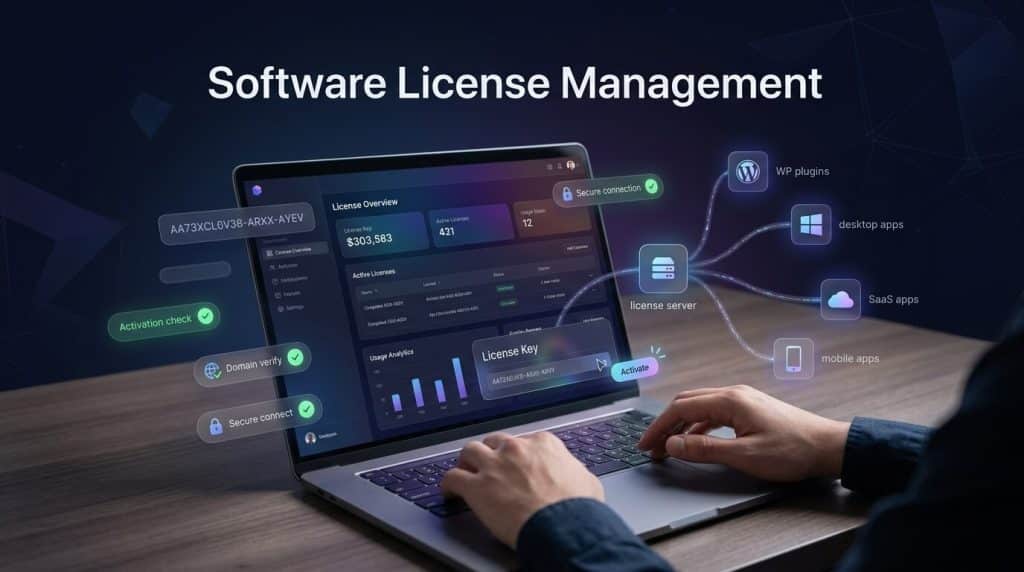
What is a License Key?
A license key is a unique string of characters generated by your system and assigned to a specific customer and purchase. It works as a password that proves a customer has a valid, paid copy of your software.
A typical license key looks like this:
ELITE-XXXX-YYYY-ZZZZ-AAAAWhen a customer installs your plugin and enters this key, your software sends a request to your license server. The server checks:
- Does this key exist?
- Is it assigned to this customer?
- Is it being activated on an allowed domain?
- Has it expired?
- Has the activation limit been exceeded?
If all checks pass, the software activates. If any check fails, activation is denied.
This is the core of a software license key validation system. Without it, there is no way to know who is using your product or whether they paid for it.
Why Software License Management Matters for Developers
1. Unauthorized Use Costs Real Revenue
When a paid plugin has no license system, a single customer can buy one copy and install it on 50 websites. There is no technical barrier stopping them. This is not theoretical — it happens regularly with WordPress plugins and themes.
A license key management for developers solves this directly. Each key is tied to a specific number of activations. One single-site license allows activation on one domain. If someone tries to activate on a second domain, the system blocks it.
The revenue impact is straightforward: more enforced activations means more customers need to buy the correct license tier.
2. Nulled Plugins Are a Direct Threat
Nulled plugins are cracked versions of paid software distributed for free. They are a known problem in the WordPress ecosystem. A nulled plugin has had its license check code removed, so it runs without a valid key.
A software license key validation system does not fully prevent nulled versions from circulating, but it does limit their damage. Specifically, features that require server-side validation, automatic updates, and domain-specific activation cannot work on nulled versions. Customers who want updates and support need a valid license.
This is the realistic value of knowing how to protect WordPress plugin from piracy: you cannot stop all piracy, but you can make a licensed copy significantly more valuable than a nulled one.
3. Update Delivery Requires a License System
If you release an update to your plugin, how does a paying customer get it? Without a license system, the answer is often a manual download from your website. That creates extra steps, support emails, and outdated installations.
A WordPress plugin license manager allows you to push updates directly to the customer’s WordPress dashboard, the same way WordPress.org plugins receive updates. The customer sees an update notification, clicks update, and gets the latest version. This works because the license validates the customer’s right to receive the update.
Without software license management, this automatic update channel does not exist.
4. You Get No Data Without a License System
A license system tells you:
- How many active installations your product has
- Which domains are running your software
- When licenses are expiring
- Which customers have not activated yet
Without this data, you are operating blind. You do not know your real user count, you cannot reach customers whose licenses are about to expire, and you have no way to verify a customer’s purchase when they contact support.
5. License Tiers Let You Charge More for More
Software license management makes pricing tiers possible. Without it, you can only sell one version at one price. With it, you can offer:
- Personal license: 1 site
- Business license: 5 sites
- Developer license: unlimited sites
Each tier serves a different buyer and generates more revenue per sale. A single purchase model with no license enforcement cannot support this structure because there is nothing stopping a buyer from using a “1 site” purchase on 100 sites.
Types of Software Licenses
Understanding the common license types helps you structure your own offerings correctly.
Single-Site License
The customer can activate the product on one domain only. This is the entry-level tier. A license key management for developers system tracks the domain and blocks activation on any other.
Multi-Site License
The customer can activate on a specific number of domains, such as 3, 5, or 10. The license server tracks each activation and denies new ones once the limit is reached.
Developer or Unlimited License
No activation limit. Suitable for agencies or developers who build sites for clients. This tier typically carries the highest price.
Time-Limited License
The license expires after a set period, such as 1 year. After expiration, the software may continue to run but stops receiving updates and support. To renew, the customer purchases again. This model creates recurring revenue.
Lifetime License
No expiration date. The customer pays once and keeps the product indefinitely. This is simpler to manage but does not generate recurring revenue.
Most WordPress plugin and theme businesses use a combination: a time-limited license that covers updates and support for one year, with optional renewal.
How a Software License Key Validation System Works
Here is how software license management works end to end, from purchase to activation.
Step 1 — Customer purchases the product
The customer completes payment through WooCommerce, Easy Digital Downloads, or another platform.
Step 2 — License key is generated
The system automatically generates a unique license key and assigns it to the customer’s order. No manual work is needed.
Step 3 — Key is sent to the customer
The customer receives the key by email or inside their account dashboard.
Step 4 — Customer installs the product
The customer installs the plugin or theme on their WordPress site.
Step 5 — Customer enters the license key
Inside the plugin settings, there is a field to enter the license key.
Step 6 — Software sends a validation request
The plugin sends the key and the domain name to your license server via API.
Step 7 — Server validates the key
The server checks: Does the key exist? Is the domain allowed? Is the activation limit reached? Is the license still active?
Step 8 — Activation is approved or denied
If valid, the plugin activates and all features unlock. If invalid, the plugin shows an error message.
Step 9 — Updates are delivered automatically
When you release a new version, it appears as an update in the customer’s WordPress dashboard. Only customers with a valid, active license can download it.
This is what a complete software license key validation system looks like in practice.
How to Protect WordPress Plugin from Piracy
Full piracy prevention is not possible with any software. What is possible is making unauthorized use harder and less useful. Here are the specific methods that work.
URL-Based Activation Restrictions
This is the most effective technical protection. The license key is tied to the domain where it was first activated. If someone copies the plugin files and installs them on another domain, they need to enter the key again. The system checks the new domain against the activation record and blocks it if the license does not cover multiple sites.
If someone tries to activate the key on example2.com after already activating on example.com with a single-site license, activation is denied.
Auto Host Banning
If someone attempts to activate a product repeatedly with incorrect or invalid keys, the system records the domain and blocks it from making further activation attempts. This prevents brute-force key guessing.
Server-Side Validation
License checks should happen on your server, not inside the plugin code alone. A check that only runs inside the plugin can be removed by editing the code — this is exactly how nulled plugins are made. A server-side check cannot be removed by editing the plugin, because the validation happens on your server, which the user does not control.
Limiting What Works Without a Valid License
Even if someone installs a nulled version, features that depend on server-side responses — auto updates, premium support access, cloud-connected features — will not work without a valid key. This makes the licensed version clearly more valuable than any cracked copy.
What a WordPress Plugin License Manager Should Include
If you are choosing or evaluating a WordPress plugin license manager, these are the features that matter:
Automatic license key generation — Keys are created and sent automatically when an order is placed. No manual work.
Domain-based activation control — Each key activation is tied to a specific domain. The system tracks and limits activations.
License expiry management — Set keys to expire after a defined period. Send renewal reminders.
Automatic update delivery — Push updates to customers through WordPress’s standard update system.
WooCommerce and EDD integration — License keys are generated automatically when a purchase is completed through WooCommerce or Easy Digital Downloads.
Envato integration — If you sell on ThemeForest or CodeCanyon, the system accepts Envato purchase codes as license keys without requiring customers to create a separate account.
API access — A REST API allows the license system to integrate with other platforms and applications beyond WordPress.
Sample code for PHP, C#, and VB.net — If you build non-WordPress software, the system generates sample integration code for common languages.
Auto host ban — Domains that repeatedly fail activation attempts are blocked automatically.
Request management — A dashboard showing all activation requests, allowing you to review and manage them manually if needed.
Elite Licenser is a WordPress plugin license manager that includes all of these features. It runs on your own WordPress installation, which means your license data stays on your own server. Over 1,500 businesses currently use it, including BDThemes, HasThemes, and ThemeLooks.
Software License Management for Non-WordPress Software
Software license management is not limited to WordPress. The same principles apply to PHP web applications, desktop software written in C# or VB.net, and mobile applications.
The main difference is integration. A WordPress plugin has a standardized hook system that makes it straightforward to add license checks. A custom PHP application or a C# desktop program needs the license validation code written manually.
A good license key management for developers system provides sample code for these environments. You copy the sample code into your application, point it at your license server’s API endpoint, and the validation logic is in place.
The license server itself — the system that stores keys, tracks activations, and responds to validation requests — remains the same regardless of what type of software you are licensing.
Common Mistakes Developers Make with Software License Management
Waiting Until After Launch
Adding a license system to an already-released product is harder than building it in from the start. Existing customers may be using the product without any key, and adding a requirement retroactively creates confusion and support requests. The right time to add software license management is before the first paid sale.
Using Client-Side Only Validation
A license check that runs entirely inside the plugin or application code can be bypassed by editing that code. Always use server-side validation where the check is made against a remote server that you control.
Not Setting Activation Limits
Without activation limits, a single license can be used on unlimited installations. Setting a clear limit per license tier is the basic enforcement mechanism that makes tiered pricing work.
Relying on “Trust” Instead of Technical Controls
Some developers sell products without license systems, relying on customers to use the product within the stated terms. This works for some customers and fails for others. Technical enforcement through software license management does not depend on customer behavior.
Frequently Asked Questions
Envato generates purchase codes that function as license keys. However, Envato’s system does not enforce domain restrictions or activation limits beyond their own terms of service. If you want URL-based restrictions and auto-update delivery outside Envato, you need your own software license management system. Some tools integrate with Envato purchase codes so customers can use their existing code with your additional validation layer.
Yes. Some developers use license management to gate premium features within an otherwise free plugin. The free version runs without a key; the premium features require one.
If the license manager runs on your own WordPress installation, all data is stored in your own database. You control it. If you use a third-party hosted license service, your data is on their servers.
Yes. The license server is a separate system from the software being licensed. Any application that can make an HTTP request can send a validation request to your license server and receive a response.
This depends on how you configure it. Common options: the software stops working entirely, the software continues to work but stops receiving updates, or certain features are locked until renewal. Most WordPress plugin businesses use the second approach — the plugin keeps running but updates are blocked.
Summary
Software license management is the system that controls who can use your software, on how many installations, and for how long. It consists of key generation, distribution, server-side validation, activation tracking, and update delivery.
For WordPress plugin and theme developers, a WordPress plugin license manager handles all of this automatically: generating keys when orders are placed, validating them when customers activate, tracking domains, and pushing updates through the standard WordPress update system.
The practical benefits are concrete: you know how many installations your product has, you can enforce your pricing tiers, you deliver updates without manual steps, and you make unauthorized use harder through URL-based restrictions and server-side validation.
A software license key validation system does not eliminate piracy, but it makes a valid license clearly more useful than an unauthorized copy. That is a practical and achievable goal for any developer selling software.
If you are building a paid WordPress plugin or theme and do not yet have a license system in place, setting one up before your first sale is significantly easier than adding it after.
Subscribe
To get news about new releases, Updates, Blog Post, Deals and Discounts
Like this content? Want to share it with others
Elite Licenser-Related Products

Member Area
Introducing our Member Area with Coupon Management! Easily manage licenses and coupons, create, edit, and track coupon codes. Upgrade now to access both License and Coupon Management features!
Support System
Best Support System, Best by name, Best by nature, Best by feature, it is a self-hosted customer support desk software. It handles support tickets, manages email tickets, collects any payment by PayPal.
[…] a hybrid model is only manageable with proper software license management, since you now need to track two (or more) license types, each with different expiration rules, […]
[…] and a connector that watches orders and tells the server what to do. For background, read about what software license management is and how a license key […]