
Annual vs Lifetime WordPress Plugin Licensing: Which Model Is Better for Developers?
Written by Towhid Islam. Posted in Elite Licenser, WooCommerce, WordPress
If you sell a WordPress plugin, a theme, or a WooCommerce add-on, you eventually have to decide how customers pay for it. Two models dominate this market: an annual license that renews every year, and a lifetime license that is paid once and never expires. The decision affects your revenue, your support workload, and how customers perceive your product for as long as you sell it.
This article looks at the annual vs lifetime licensing question specifically for WordPress plugin developers, not general software companies. WordPress has its own patterns around updates, support expectations, and marketplace competition (Envato, WooCommerce.com, and self-hosted stores), which change how the annual vs lifetime licensing question plays out in practice.
What Annual and Lifetime Licensing Actually Mean
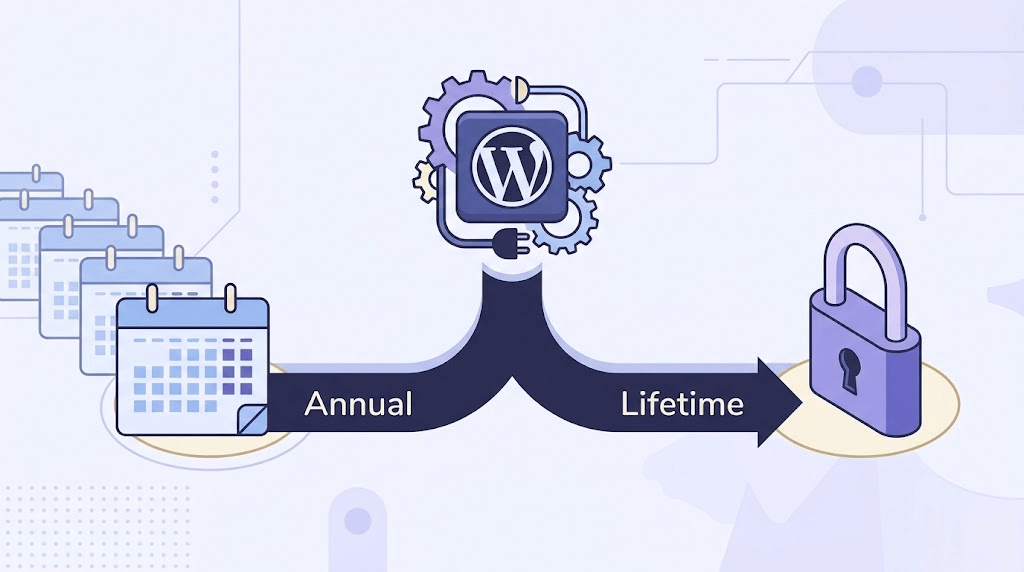
Before getting into the annual vs lifetime licensing comparison itself, it helps to define both terms clearly, since developers and buyers do not always mean the same thing by them.
Before comparing the two, it helps to define them the way they are used in the WordPress plugin market, since the terms get used loosely.
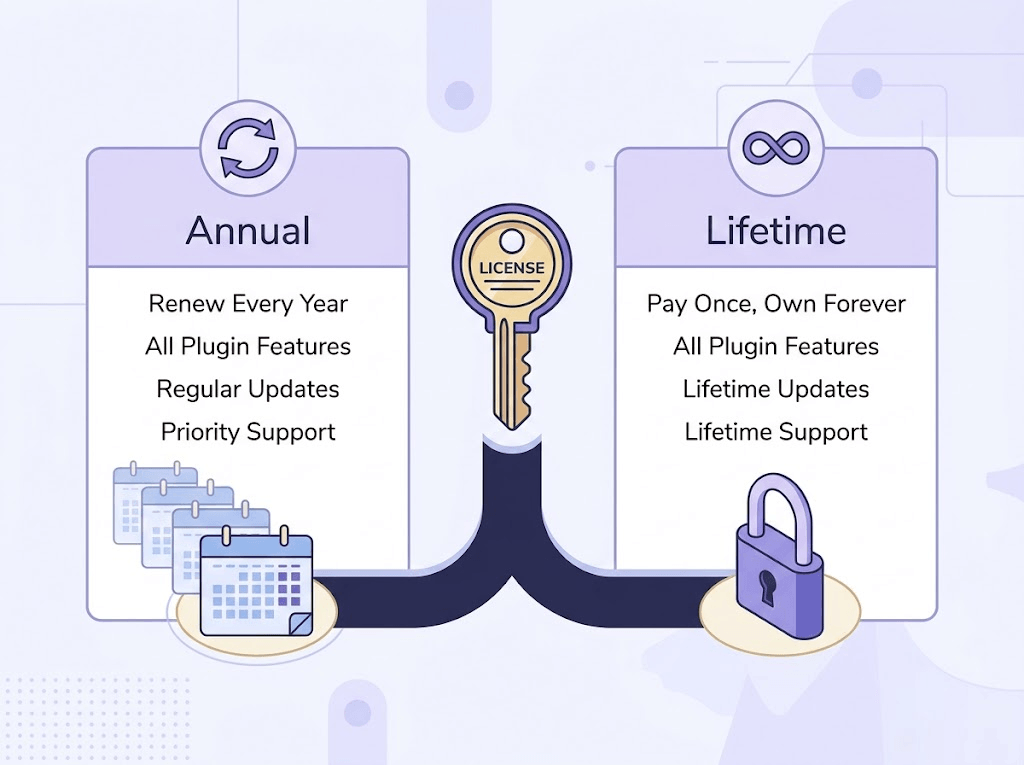
An annual license gives the customer the right to use the plugin, receive updates, and get support for one year from the date of purchase. At the end of the year, the customer renews to keep receiving updates and support. If they choose not to renew, most developers let the plugin keep working on the sites where it is already installed, but stop delivering updates and support until the license is renewed.
A lifetime license (sometimes called a perpetual license) is paid once. The customer keeps using that version of the plugin indefinitely. Many WordPress developers pair a lifetime license with either lifetime updates or a limited period of free updates and support (commonly one year), after which updates may require a separate renewal or a paid upgrade to a newer major version.
This second detail matters. A “true” lifetime license with lifetime everything (updates, support, and use) is different from a lifetime license that only covers lifetime use of the current version. Reading the fine print on what is actually included is part of making an informed annual vs lifetime licensing decision, whether you are a developer setting pricing or a buyer evaluating an offer.
Annual vs Lifetime Licensing: A Side-by-Side Comparison
The table below summarizes how the two models generally compare for a WordPress plugin business.
| Factor | Annual License | Lifetime License |
|---|---|---|
| Revenue pattern | Recurring, spread over time | One large payment upfront |
| Cash flow predictability | Higher long-term, lower short-term | Higher short-term, less predictable long-term |
| Customer cost over 3+ years | Can exceed a lifetime price | Fixed, usually cheaper long-term for the buyer |
| Update/support obligation | Ongoing, tied to active renewal | Often limited to a defined period unless stated otherwise |
| Customer retention pressure | Requires renewal reminders and value delivery | Less renewal pressure, but no repeat billing either |
| Appeal to price-sensitive buyers | Lower barrier to entry | Higher upfront cost, appeals to long-term users |
| Common in WordPress market | SaaS-style plugins, ongoing services | Marketplace-style plugins, developer tools |
Neither model is universally better. The right choice in the annual vs lifetime licensing decision depends on what your plugin does, how much ongoing work it requires from you, and what your competitors are already offering.
Why Developers Choose Annual Licensing
In the annual vs lifetime licensing debate, developers who lean toward annual pricing usually do so for revenue reasons rather than product reasons. An annual license model is common among WordPress plugin businesses that expect to keep investing in the product for years. Reasons developers pick this model include:
- Predictable recurring revenue. Renewal income makes it easier to plan development, hire support staff, or budget for marketing.
- Aligned incentives. Because customers pay again each year, there is a built-in reason to keep improving the plugin and keep support responsive.
- Lower entry price. A yearly fee is usually lower than a lifetime price, which can widen the pool of buyers willing to try the plugin.
- Sustainable support funding. Support tickets do not stop after the first year. An annual license means the revenue funding that support does not stop either.
The tradeoff is that annual licensing requires ongoing sales and retention effort. If renewal rates are weak, the recurring revenue advantage disappears quickly.
Why Developers Choose Lifetime Licensing
Lifetime licensing is common with plugins that reach a stable feature set, developer tools sold to a technical audience, and products competing against marketplaces like Envato where buyers are used to one-time payments. Reasons to choose this model include:
- Faster initial cash flow. A single, larger payment can fund development or marketing sooner than waiting for renewals to accumulate.
- Simpler buyer decision. Some buyers, particularly smaller agencies and freelancers, prefer to avoid another recurring bill and will choose a one-time cost over a subscription even at a higher price point.
- Competitive positioning. If competing plugins in your category commonly offer lifetime pricing, offering only annual pricing can put you at a disadvantage regardless of feature quality.
- Reduced renewal-chasing overhead. There is no need to run renewal campaigns or handle expired-license support requests at the same scale.
The tradeoff is that a lifetime license removes the built-in reason for customers to keep paying, which means long-term revenue depends more heavily on new customer acquisition rather than renewals.
The Downsides of Each Model
No matter which side of the annual vs lifetime licensing decision you land on, every WordPress plugin developer eventually runs into the limits of whichever model they picked.
Annual licensing downsides:
- Some customers resent recurring fees for a tool they see as “done.”
- Expired-license support requests are a constant, low-level workload.
- Competing against lifetime-priced alternatives can hurt conversion rates.
Lifetime licensing downsides:
- Revenue is front-loaded, so a slow sales month has a bigger impact on cash flow.
- Long-term support and updates can become a cost center with no matching recurring income unless updates are capped to a defined period.
- Heavy discounting on lifetime deals (common in WordPress plugin launches) can undervalue the product and attract buyers who churn out of active use quickly, generating support load without renewal revenue to offset it.
Factors That Should Influence Your Decision
There is no single correct answer to the annual vs lifetime licensing question, and the right answer for one plugin category will not automatically apply to another. These factors typically matter most when working through an annual vs lifetime licensing decision for your own product:
1. How much ongoing work the plugin requires
A plugin that depends on frequent WordPress or WooCommerce core updates, third-party API changes, or payment gateway compliance needs continuous developer time. That kind of ongoing cost is easier to justify with annual licensing.
2. What your direct competitors offer
If every plugin in your category on Envato or WooCommerce.com sells as a one-time purchase, an annual-only pricing page can look expensive by comparison, even if your total cost over time is lower.
3. Your support capacity
Lifetime licenses without a support cutoff can accumulate support debt: an ever-growing base of active users who paid once, years ago, expecting help today. Setting a defined support and update window (for example, one year of support included with a lifetime license) is a common way developers manage this.
4. Your product’s maturity
Newer plugins that are still adding core features often benefit from annual licensing, since the ongoing releases justify the recurring cost. Mature, stable plugins with a smaller roadmap can work well as lifetime products since large future updates are less frequent.
5. Your audience’s buying habits
Agencies and freelancers building client sites often prefer lifetime licenses they can reuse project after project. Businesses running an ongoing WooCommerce store may be more comfortable with an annual license tied to their yearly operating budget.
The Hybrid Approach: Offering Both
Rather than treating annual vs lifetime licensing as an either/or choice, many WordPress plugin businesses do not pick one model exclusively. Instead, they offer both an annual license and a lifetime license side by side, sometimes alongside a bundle price for multiple products. This gives customers a choice: pay less upfront with an annual plan, or pay more once and avoid renewals with a lifetime plan.
Running a hybrid model is only manageable with proper software license management, since you now need to track two (or more) license types, each with different expiration rules, support windows, and renewal behavior, without creating confusion for customers or extra manual work for your team.
How License Management Software Fits Into This Decision
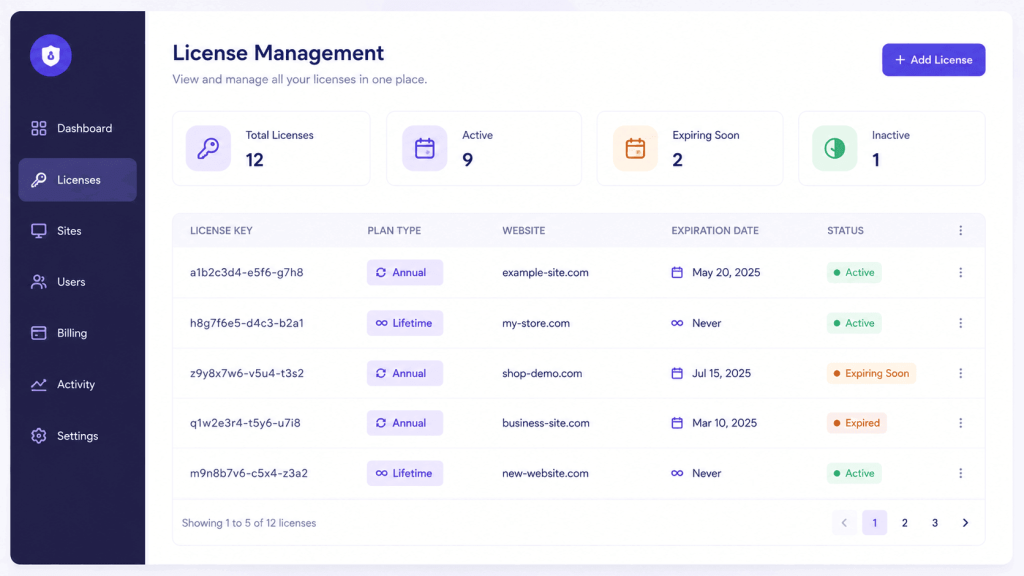
Whichever model you choose, you need a system to issue license keys, track expiration dates, and control how many sites each license activates. This is where a dedicated WordPress plugin license manager becomes relevant, separate from the pricing decision itself.
Elite Licenser is a license management plugin built for WordPress developers who sell plugins, themes, or WooCommerce products outside of marketplaces like Envato, or alongside them. It does not decide your pricing model for you, but it gives you the tools to run an annual license, a lifetime license, or both, from one panel. Relevant capabilities include:
- License variation. You can create different license types, such as single-site licenses, multi-site licenses, or time-limited licenses, and set a maximum number of domains for each type. This is what makes running annual and lifetime plans side by side practical rather than a manual spreadsheet exercise.
- Automatic license generation. Licenses can be generated automatically when a purchase is completed, including through the WooCommerce add-on for stores selling digital products directly.
- License tracking and expiration. The panel shows the status of every issued license, including how many sites are activated and when a license expires, which is essential once you are managing renewal dates for an annual license.
- Support and update windows. You can extend or manage a license’s support and update period from the same panel, which is how developers implement a defined update window on a lifetime license rather than promising unlimited free updates indefinitely.
- Auto product updates. Once a new version is uploaded, licensed users are notified the same way they would be for a WordPress.org plugin update, regardless of whether they hold an annual or lifetime license.
- Auto host ban. If a license key is repeatedly misused on unauthorized domains, the plugin can automatically block that domain, which matters more for lifetime licenses where there is no renewal checkpoint to catch misuse.
- Envato and marketplace integration. If you also sell through Envato, Elite Licenser includes a built-in verification system, so buyers who already hold an Envato purchase code do not need a separately generated license.
None of these features change whether annual or lifetime pricing is the right call for your specific plugin. What they do is remove the operational risk of running either model, or both at once, without a dedicated license management system.
Step-by-Step: Setting Up Annual and Lifetime License Types
If you decide to offer both models, the general workflow for setting this up in a license manager like Elite Licenser looks like this:
- Define your license types first. Create separate license type entries for “Annual” and “Lifetime” before connecting them to a product, so each can carry its own expiration and domain-limit rules.
- Set the expiration rule for each type. The annual license type should expire and require renewal after one year. The lifetime type should be set to never expire, or to expire only from a support/update standpoint rather than blocking plugin use.
- Connect license types to your product. Assign both license types to the same plugin or theme product so customers can choose either at checkout.
- Configure the update and support window. For the lifetime type, decide whether updates are included forever or capped to a period (commonly one year), and set that in the license type settings.
- Connect your payment method. Whether you sell through WooCommerce, Paddle, FastSpring, or Envato, confirm license keys are generated automatically for each license type on purchase.
- Test both purchase paths. Buy a test annual license and a test lifetime license through your own checkout to confirm the correct expiration and update behavior is applied to each before launching publicly.
Full configuration steps are covered in the Elite Licenser documentation.
Common Mistakes When Choosing or Switching Licensing Models
Developers working through annual vs lifetime licensing changes tend to repeat the same handful of mistakes.
- Offering lifetime updates with no support cutoff. Without a defined window, support requests from years-old lifetime customers can consume time that should go toward current, paying customers.
- Switching models without grandfathering existing customers. Changing from lifetime to annual (or the reverse) without honoring the terms customers already paid for damages trust and can trigger refund disputes.
- Pricing a lifetime license too low relative to annual. If three years of annual fees costs less than the lifetime price, most buyers will choose annual, undermining the purpose of offering a lifetime option at all.
- Not tracking license usage. Without tracking activations per domain, a single license (annual or lifetime) can end up active on far more sites than intended, cutting into revenue that legitimate multi-site licensing would have captured.
- Treating the licensing model as a one-time decision. Buyer expectations and competitor pricing change. Revisiting the annual vs lifetime licensing mix periodically, rather than locking it in permanently, keeps pricing aligned with the market.
When to Get Professional or Technical Help
Deciding between annual and lifetime licensing is primarily a business and pricing decision, but the technical implementation is where developers most often need outside help. Consider getting support if:
- You are migrating an existing customer base from one licensing model to another and need to preserve their original terms.
- You are integrating license checks with a custom-built plugin or a non-WordPress application (PHP, C#, or VB.NET), where sample integration code needs to be adapted to your specific codebase.
- You are combining multiple payment gateways (for example, WooCommerce for direct sales and Envato for marketplace sales) and need license issuance to stay consistent across both.
For these cases, most license management tools, including Elite Licenser, provide direct support channels or documentation for handling non-standard setups rather than requiring you to build integration logic from scratch.
Frequently Asked Questions About Annual vs Lifetime Licensing
Usually, yes, if you keep using the plugin for more than the number of years it would take annual payments to add up to the lifetime price. It is not automatically cheaper if the plugin is discontinued, if updates stop, or if your usage needs change before that break-even point is reached.
Yes. Many WordPress plugin businesses run both models side by side, using a license manager to assign different expiration rules and update windows to each license type under the same product.
Not necessarily. Some lifetime licenses include lifetime updates, while others include updates and support for a defined period, such as one year, after which further updates may require a renewal or a separate purchase. This should always be stated clearly on the pricing page.
There is no fixed rule, but annual licensing is often easier to sustain for a new plugin still under active development, since ongoing releases are funded by renewal revenue. A more mature, stable plugin can work well as a lifetime product.
A dedicated WordPress plugin license manager can automate license generation, expiration tracking, renewal status, and update delivery, which removes the need to track this manually in a spreadsheet as your customer base grows.
Most developers let the plugin keep functioning on sites where it is already active, but stop delivering updates and support until the license is renewed. The specific behavior depends on how the license type is configured in your license management system.
Conclusion
Coming back to the annual vs lifetime licensing question one more time: the decision is not about which model is objectively better. It is about matching your pricing structure to how much ongoing work your plugin requires, what your competitors already offer, and how your specific audience prefers to buy. An annual license fits products that need continuous development and support funding. A lifetime license fits products with a stable feature set or a market where one-time pricing is the norm.
Whichever direction you choose, or if you decide to offer both, the operational side of licensing (issuing keys, tracking expiration, managing support windows, and preventing misuse) needs a system built for it. That is the specific problem a tool like Elite Licenser is built to handle, independent of which pricing model you ultimately decide fits your plugin.
Subscribe
To get news about new releases, Updates, Blog Post, Deals and Discounts
Like this content? Want to share it with others
Elite Licenser-Related Products

Member Area
Introducing our Member Area with Coupon Management! Easily manage licenses and coupons, create, edit, and track coupon codes. Upgrade now to access both License and Coupon Management features!
Support System
Best Support System, Best by name, Best by nature, Best by feature, it is a self-hosted customer support desk software. It handles support tickets, manages email tickets, collects any payment by PayPal.