
WooCommerce vs Easy Digital Downloads Licensing: Which Integration Fits Your Store?
Written by Ferdous Hassan. Posted in WooCommerce, Easy Digital Download(EDD), Elite Licenser, WordPress
If you sell a WordPress plugin, a theme, a SaaS add-on, or any downloadable software, you eventually have to pick a store platform. For most WordPress-based sellers, the choice comes down to two options: WooCommerce or Easy Digital Downloads (EDD). Both can run a store. Both can be connected to a license manager. But they were built for different jobs, and that difference shows up the moment you start thinking about WooCommerce vs Easy Digital Downloads licensing.
This guide walks through how each platform handles license keys, what a licensing integration actually needs to do, and how to decide which one fits your store. It also looks at how a license manager like Elite Licenser connects to both platforms, so you are not stuck choosing a cart based on licensing alone.
WooCommerce vs Easy Digital Downloads: A Quick Overview
WooCommerce is a general-purpose ecommerce plugin for WordPress. It was built to sell anything: physical products, digital downloads, subscriptions, bookings, and more. According to WooCommerce’s own site, the platform has been used to build more than 4 million online stores, and it runs on WordPress, which W3Techs data (cited by WooCommerce) puts behind 43% of all websites. Because it is general-purpose, WooCommerce does not include software licensing out of the box. Licensing has to be added through an extension or a third-party plugin. Easy Digital Downloads takes a different starting point. It was built specifically to sell digital products, and it treats things like download limits, file protection, and license keys as part of its core purpose rather than an afterthought. EDD itself does not generate or validate license keys without an add-on either, but its ecosystem is built around digital-goods selling, so licensing add-ons tend to fit more naturally into its existing product structure. Neither platform is “better” in the abstract. The right answer depends on what else your store needs to do.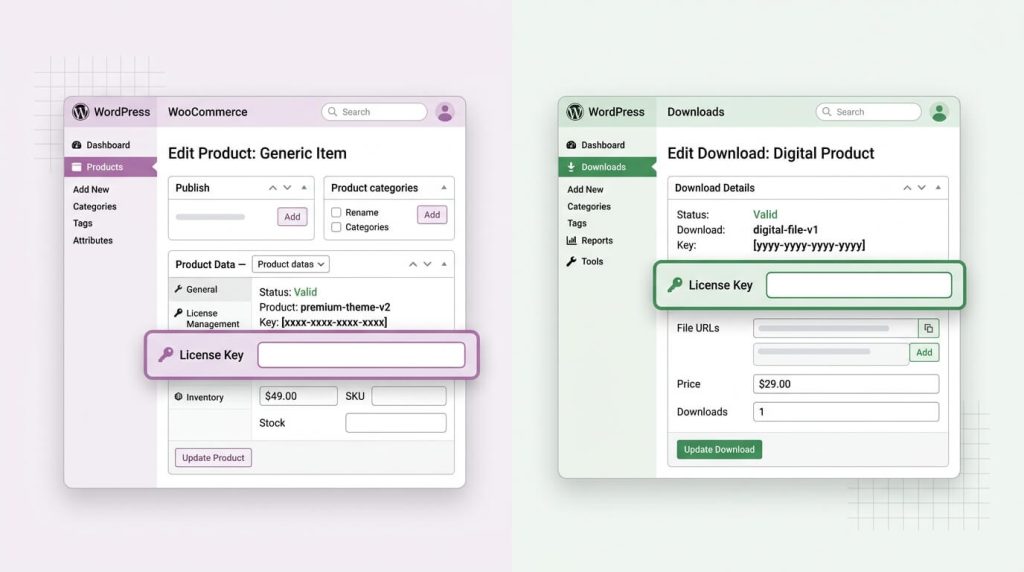
| WooCommerce | Easy Digital Downloads | |
|---|---|---|
| Primary purpose | General ecommerce (physical + digital) | Digital products only |
| Core licensing support | Requires an addon | Requires an addon |
| Best fit | Stores that sell mixed products or want the largest extension ecosystem | Stores that sell only software, themes, or digital downloads |
| Checkout complexity | More configuration options, more moving parts | Simpler checkout focused on downloads |
| Community size | Larger, since WooCommerce is used far beyond software sales | Smaller, but concentrated among software and content sellers |
Why Licensing Integration Is a Real Problem, Not a Nice-to-Have
What the Problem Actually Is
When you sell a WordPress plugin, theme, or any software product through a store, a sale is not the end of the transaction. The customer needs:
- A license key tied to their purchase
- A way to activate that key on their site or application
- A way to check for and receive updates
- A way to have that license automatically turned off if they get a refund
Without a licensing integration, a store owner is left doing this by hand: emailing keys, tracking spreadsheets, and manually disabling access after refunds. That does not scale past a handful of sales.
Why It Happens
The root cause is simple: WooCommerce and Easy Digital Downloads are cart and checkout systems. They are built to process an order and mark it complete. Neither one was designed to understand what a “license” is, what a “domain activation” is, or how a plugin update should be delivered. That logic sits outside the cart, in a separate license management layer.
Common Causes of Licensing Problems
- Selling through the cart’s default digital download delivery, which just sends a file, not a licensed and trackable product
- Assuming a payment gateway (like Stripe or PayPal) will handle licensing, when it only handles payment
- Using a generic download-protection plugin that was never built to issue or revoke license keys
- Not accounting for refunds, chargebacks, or subscription cancellations in the license lifecycle
How to Diagnose Whether You Have a Licensing Gap
Ask these questions about your current setup:
- When someone buys, do they receive a unique license key automatically, or do you send it manually?
- If an order is refunded, does the license get disabled on its own?
- Can you see, from one place, which domains are using a given license?
- Can your product check with your server before running, to confirm the license is still valid?
If the answer to any of these is “no” or “not really,” there is a gap between the store and the licensing layer.
How WooCommerce Handles Licensing Integration
WooCommerce does not include a built-in concept of a software license. To generate, track, and validate license keys from a WooCommerce order, you need a licensing addon that hooks into WooCommerce’s order and product data.
A typical WooCommerce licensing addon needs to:
- Map a WooCommerce product to a “licensed product” in the license manager
- Generate a license key automatically once an order is marked complete
- Show that key to the customer, usually on the order confirmation page or in their account area
- Watch for refunds, cancellations, or failed payments, and deactivate the license when they happen
This works well because WooCommerce exposes solid hooks for order status changes, which a licensing addon can listen to. The tradeoff is configuration: because WooCommerce sells any product type, you have to explicitly map which products are licensed and which are not, rather than assuming every product needs a key.
How Easy Digital Downloads Handles Licensing Integration
Easy Digital Downloads follows the same basic pattern — no licensing without an addon — but the setup tends to feel more direct, since every product in EDD is already a digital download by default.
A typical EDD licensing addon needs to:
- Connect to your license manager’s product list
- Generate a license code automatically when an EDD purchase completes
- Display the license code in the customer’s purchase and order details
- Deactivate the license automatically if the order is refunded, revoked, or fails
- In many cases, support EDD’s subscription add-ons, so recurring billing keeps the license renewed
Because EDD already assumes every product is a download, there is less mapping to do compared to WooCommerce, where you have to separate licensed software from, say, a physical T-shirt in the same store.
WooCommerce vs Easy Digital Downloads Licensing: Feature-by-Feature Comparison
| Capability | WooCommerce + licensing addon | EDD + licensing addon |
|---|---|---|
| Automatic key generation on purchase | Yes, via addon | Yes, via addon |
| License visible in order details | Yes, via addon | Yes, via addon |
| Auto-disable on refund/cancel/failed order | Yes, via addon | Yes, via addon |
| Subscription renewal support | Depends on subscriptions plugin used | Often built to work with EDD’s own subscription add-ons |
| Product mapping needed | Yes, since not every WooCommerce product is licensed by default | Usually simpler, since most EDD products are digital downloads |
| Extension ecosystem size | Larger, more third-party options overall | Smaller, but more digital-product-specific |
| Best suited for | Stores mixing software with other product types, or wanting the widest plugin choice | Stores selling only digital or software products |
This table reflects how the two platforms are generally structured. Specific behavior always depends on which licensing addon you install and how it is configured, so check the addon’s own documentation for exact details before assuming a feature is included.
Which Integration Fits Your Store?
A few practical questions can point you toward the right platform.
Choose WooCommerce if:
- You sell more than one type of product, including anything physical, bundled, or non-software
- You want access to the largest pool of WordPress ecommerce extensions for shipping, marketing, or payment options
- You already run WooCommerce for other parts of your business and do not want to manage two carts
Choose Easy Digital Downloads if:
- Your store only sells digital products: plugins, themes, ebooks, templates, or similar
- You want a checkout built around downloads rather than physical fulfillment
- You prefer a leaner setup with fewer unrelated ecommerce features to configure
Either way, you still need a separate license manager. Neither WooCommerce nor EDD generates, tracks, or validates license keys on its own. That is the addon layer’s job, and it is where the real decision-making happens.
Practical Solution: Connecting a License Manager to WooCommerce or EDD
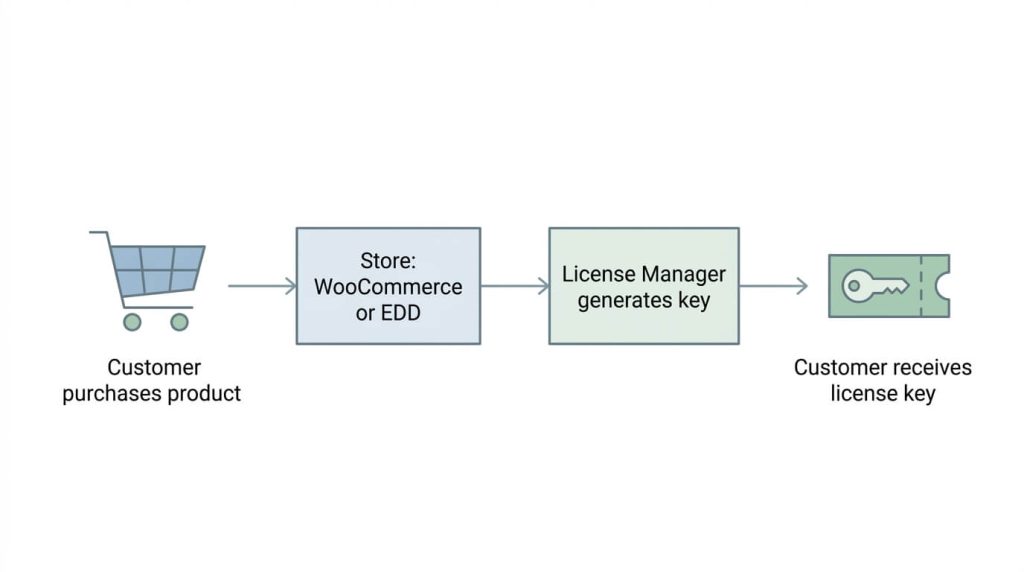
This is where a dedicated license manager plugin comes in. Elite Licenser is a WordPress license manager that handles license generation, tracking, product updates, and domain-based activation from one panel, independent of which cart you use to sell.
Elite Licenser has separate addons for each cart:
- The WooCommerce addon auto-generates and manages license codes for WooCommerce orders. The generated license appears in the order details, and it is automatically deactivated if an order is refunded, canceled, or fails.
- The EDD addon works the same way for Easy Digital Downloads: it generates a license code automatically for products purchased through EDD, displays it in the customer’s order details, and deactivates the license if the order is refunded, canceled, or fails. It is also built to work with EDD’s subscription features, so a renewal keeps the license active without manual work.
Because the core license logic lives in Elite Licenser rather than inside WooCommerce or EDD, you are not locked into one cart if your business changes direction later. The Elite Licenser features page lists the full set of capabilities, including auto product updates, Envato purchase code verification, API access for non-WordPress applications, and domain-based restrictions that stop a single license from being reused across unrelated sites.
Step-by-Step: Setting Up License Key Automation
The exact screens vary by plugin, but the general sequence for connecting a license manager to either cart follows the same pattern.
- Install the core license manager. This is the plugin that stores your products, license types, and generated keys. Install and activate it before installing either cart addon.
- Install the cart-specific addon. Choose the WooCommerce addon or the EDD addon depending on which cart your store uses. Only install the one you need.
- Map your store products to license products. In your cart’s product settings, link each sellable product to the matching product in your license manager. This tells the system which purchases should generate a key.
- Configure license rules. Set domain limits, license duration (for example, single-domain or multi-domain, one year or lifetime), and whether the license is tied to a subscription.
- Test with a sandbox or manual order. Place a test order and confirm the key generates automatically, appears in the order confirmation, and shows correctly in the customer’s account.
- Test the refund path. Refund or cancel the test order and confirm the license deactivates. This step gets skipped often, and it is the one that prevents support tickets later.
- Add your update and API details. If your product is a WordPress plugin or theme, connect your update package so customers see update notifications inside WordPress, the same way they would for a plugin from the WordPress.org directory.
Giving Customers a Self-Service License Portal
Generating keys automatically solves half the problem. The other half is what happens after the sale, when a customer wants to check their license status, move it to a new domain, or find their download link without emailing support.
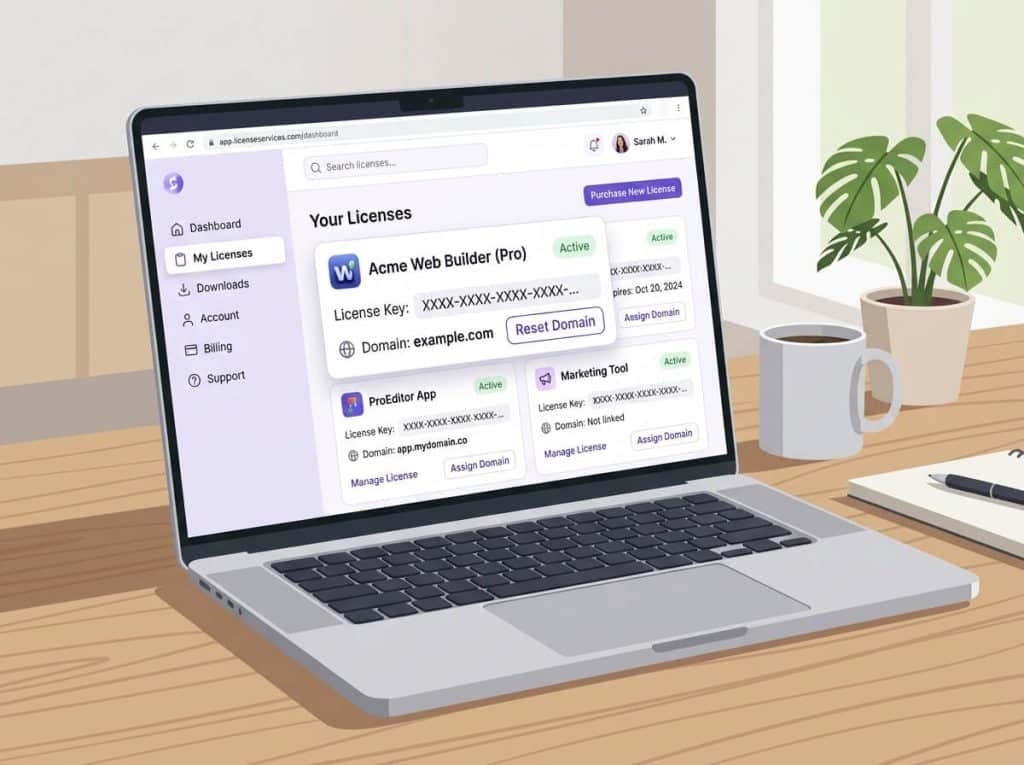
This is what the Elite Member Area addon is built for. It gives customers a private, logged-in area where they can view their license details, reset or remove a license from one domain and apply it to another, and access their product download link directly. For sellers who also run deals through platforms like AppSumo or PitchGround, the same addon includes coupon generation, plus import and export tools for handling coupon codes in bulk.
Pairing a self-service portal with your WooCommerce or EDD licensing setup cuts down on the volume of “where is my license key” and “can I move this to a new site” support requests, since customers can handle both on their own. If you are building this kind of customer-facing license area from scratch, the guide on building a customer license portal walks through the reasoning in more detail.
Common Mistakes to Avoid
- Skipping the refund test. A license that stays active after a refund is a support problem waiting to happen.
- Mixing licensed and unlicensed products without clear mapping. In WooCommerce especially, an unmapped product will not trigger key generation, which looks like a bug but is really a missed configuration step.
- Forgetting about subscription renewals. If your product is sold on a recurring plan, confirm that a renewal payment actually extends or reissues the license instead of leaving it to expire.
- Not setting a domain limit. Without a domain restriction, one license key can end up active on far more sites than you intended to sell.
- Treating the download link as the license. Sending a customer a ZIP file is not the same as issuing a license key. A download link with no license check behind it cannot be revoked or tracked.
- Choosing a cart based on licensing alone. WooCommerce and EDD both need an addon for licensing, so the licensing question should not be the only factor. Weigh it alongside shipping needs, payment options, and whatever else your store sells.
When You Might Need Technical Help
Most of this setup is configuration rather than custom development, and a store owner with basic WordPress admin experience can usually complete it without a developer. That said, professional or technical help is worth bringing in when:
- You are migrating an existing customer base and their license history from one cart to another
- Your product needs a custom integration for a non-WordPress application (a desktop app, a mobile app, or a script in another language)
- You are combining licensing with a marketplace platform, such as Envato, alongside your own store
- You need a custom API integration beyond what a licensing addon exposes out of the box
Additional Tips
- Keep your license type simple at first. A single-domain, one-year license is easier to support than five overlapping license tiers.
- Document your refund and license-deactivation policy somewhere customers can find it before they ask support.
- If you plan to sell the same product through more than one channel (your own store plus a marketplace like Envato), confirm your license manager can handle purchase codes from both sources. Elite Licenser, for example, includes built-in Envato purchase code verification alongside its WooCommerce and EDD addons.
- Review your pricing page and the documentation before committing to a license structure, so you know what each tier of your license manager actually supports.
- If piracy or unauthorized reuse of your licensed product is a concern, pair your licensing setup with domain-based restrictions and host-banning rules. The guide to protecting a WordPress plugin from piracy covers this in more depth.
- If you are still deciding between a one-time and a recurring license model, the annual vs. lifetime licensing comparison is a useful companion to this guide.
No. WooCommerce handles the cart, checkout, and order management, but it does not generate or track license keys on its own. You need a separate license manager with a WooCommerce addon to handle key generation, domain tracking, and license deactivation
No, not without an addon. EDD is built around selling digital products, which makes it a natural fit for licensed software, but license key generation and management still require a dedicated licensing addon connected to EDD.
It depends on your license manager. If the licensing logic lives inside a separate plugin, like Elite Licenser, rather than being built directly into the cart, your license data usually stays intact. You would install the addon for the new cart and remap your products, without rebuilding your license history from scratch.
Both work. WooCommerce fits stores that sell more than software or want access to a wider ecommerce plugin ecosystem. Easy Digital Downloads fits stores that sell only digital products and want a checkout built specifically around downloads. Neither one handles licensing without an addon, so the licensing decision does not have to drive the cart decision.
Use a license manager that supports domain-based restrictions. Elite Licenser, for instance, ties a license key to a specific URL, so activating the same key on a second, unrelated domain requires its own license rather than reusing the first one.
What happens to a license if an order is refunded?
Not necessarily, but it helps. A self-service license portal, such as the Elite Member Area addon, gives customers a place to view license details, move a license to a new domain, and access downloads without contacting support for routine requests.
Conclusion
WooCommerce and Easy Digital Downloads solve the same basic problem, selling products through WordPress, from two different directions. WooCommerce is the broader tool, built for any kind of store and backed by the larger WordPress ecommerce ecosystem. Easy Digital Downloads is the narrower tool, built specifically around digital goods and, by extension, more naturally suited to software sales.
Neither one generates or manages license keys on its own. That job belongs to a dedicated license manager connected through a cart-specific addon. Once you pick a cart based on what you actually sell, whether that is WooCommerce for a mixed catalog or EDD for a pure digital-download store, a plugin like Elite Licenser with its WooCommerce and EDD addons can handle the licensing layer for either one, along with a customer-facing Member Area for license self-service. That combination lets you make the WooCommerce vs Easy Digital Downloads licensing decision based on what your store needs to sell, not on which cart happens to make licensing easier.